Book your setup workshop

Choose a time and let’s make shipping less manual.

Use the calendar to reserve a practical setup session for connecting your ecommerce store to Pigee. Bring your store URL, a few example products and the destinations you care about most.

Ideal for ecommerce owners, operations teams and store builders. Useful whether you are improving an existing flow or launching a new one. Focused on rates, checkout delivery, customs, labels, tracking and launch steps.
WooCommerce friendly Carrier quote setup Customs flow No credit card needed
Tip: creating an account before the session makes it easier to talk through your real setup.

Connect your storeReview the cleanest route from product order to shipment.
Fix checkout deliveryGive customers clear options before they complete payment.
Automate documentsReduce manual customs and commercial invoice work.
Go live confidentlyTest the order, quote, label and tracking journey.
Why book it

Your store is selling. Shipping is slowing it down.

Most ecommerce teams do not lose international orders because the product is wrong. They lose them because shipping is unclear, expensive, manual or risky at the exact moment the customer wants to buy.

Customers abandon when delivery looks vague.

We help you think through clearer delivery choices, better checkout expectations and fewer “message us for shipping” moments.

  • Show available shipping paths
  • Reduce manual quoting
  • Make international orders feel normal

Customs mistakes cost time, trust and money.

Pigee supports product data, customs information, HS code assistance and commercial invoice workflows so shipments are less painful.

  • Product details for customs
  • Commercial invoice guidance
  • Cleaner cross-border process

Too many tools create operational drag.

The workshop shows how Pigee can help bring quotes, payments, labels, tracking and insurance closer to one connected flow.

  • Multi-carrier thinking
  • Payment and delivery flow
  • Tracking after purchase
What we cover

A practical session, not a sleepy sales call.

Bring your ecommerce store, your shipping questions and a real product example. The goal is to leave with a clearer route to connecting Pigee to your sales and delivery workflow.

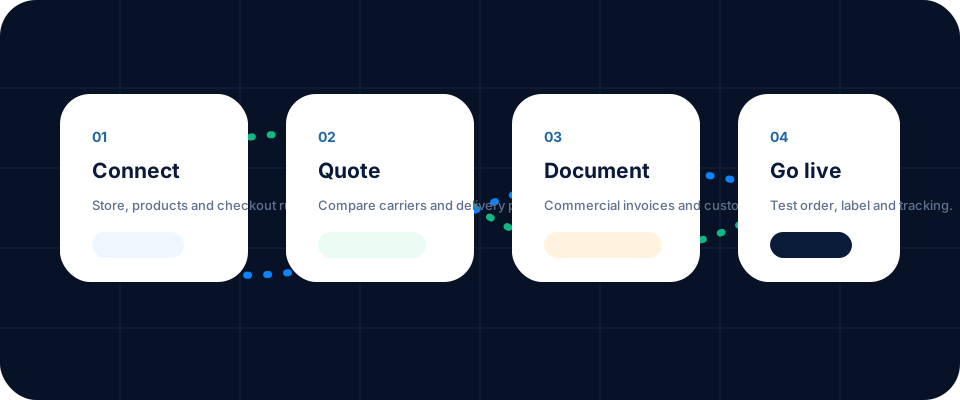
01

Store and product setup

Review the type of products you sell, where orders come from and how shipping should appear to customers.

02

Carrier quote and checkout logic

Discuss delivery options, live quote behaviour and how to reduce checkout uncertainty.

03

Customs, tracking and insurance

Walk through the cross-border details that matter after the customer presses buy.

04

Next steps to launch

Identify what needs to be tested, configured or handed to your developer before going live.

Four step ecommerce shipping setup workflow: connect, quote, document and go live
Useful answers

Before you book.

A few quick answers for store owners, ecommerce teams and developers preparing to connect shipping to checkout.

It helps, but it is not required. Creating a free account before the workshop gives us a clearer starting point and makes the session more practical.
The session is especially useful for WooCommerce and WordPress ecommerce stores, but we can also talk through Shopify and other checkout workflows where Pigee can support the shipping process.
Yes. Pigee is designed to support both domestic and international delivery workflows, including rate comparison, tracking and cross-border documentation where required.
Yes. We can walk through product information, customs data, HS code assistance and commercial invoice workflows so you understand what needs to be ready before orders start moving.
The best mix is usually the store owner or operations lead, plus whoever manages the website or ecommerce setup. If you have a developer, invite them too.

Ready to stop treating shipping like an afterthought?

Book the workshop, bring a real product example and leave with a clearer path to shipping from your online store with more confidence.

🚀 SEO by Pigee